

On self-hosted Opal, delegated reviews are available on versions 1.1032.0 and later.
Schedule delegated request reviews
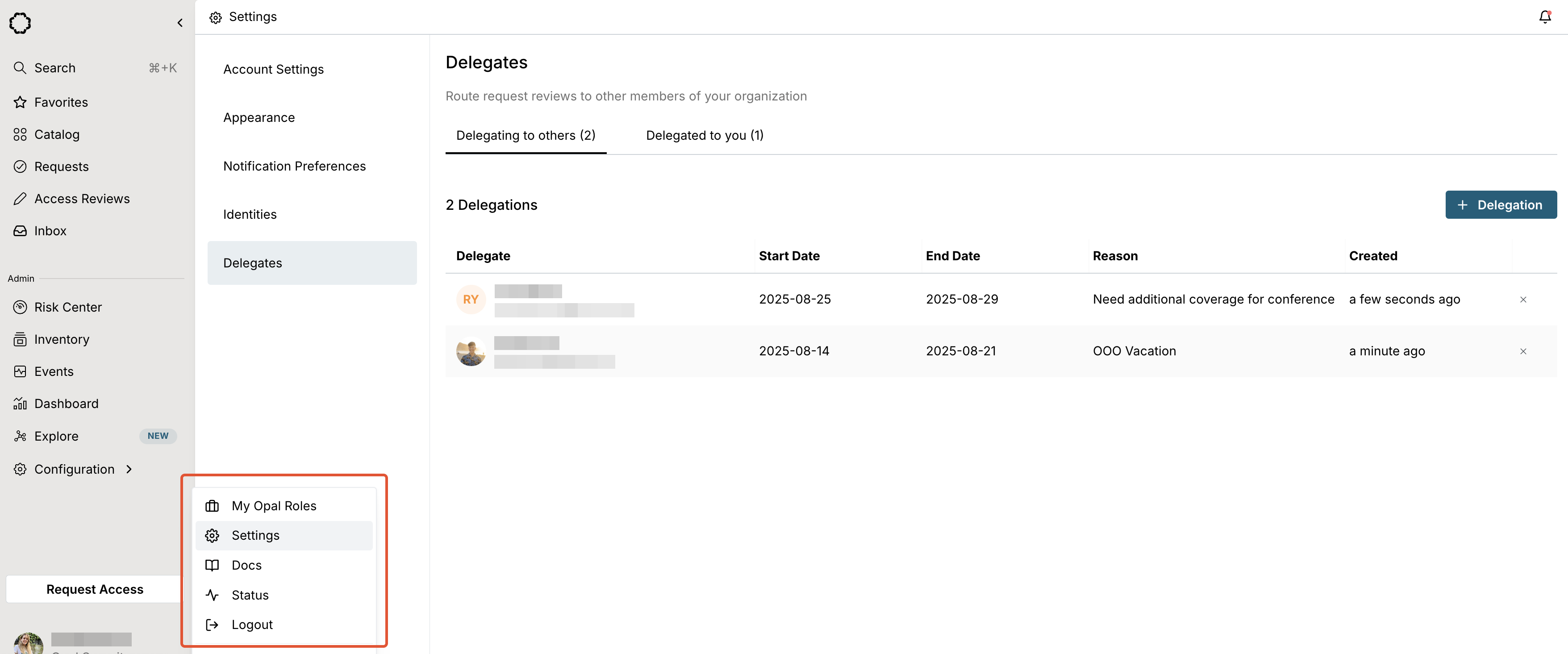
Non-admin users can create delegations for themselves from their profile settings, while Opal Admins can create delegations for any user from Inventory > Delegations or via the API. To create a delegated request review for yourself:- Select your profile in the lower left corner of the Opal dashboard, then Settings > Delegates.
- Select + Reviewer Delegation and enter one or more delegate users to add to reviews, a date range, and a reason for the delegation.
Review delegated requests
Delegated access requests appear in the Inbox tab on the Requests page, as any other pending request, and the delegated reviewer is shown as Delegated. Delegated reviewers are added as additional reviewers, not replacements.Manage delegations
Admins can create, view, edit the dates of, and delete all schedules for delegated reviews from Inventory > Delegations. When creating a delegation, admins can also attach an optional Delegation Script (OpalScript delegation condition) to dynamically control which delegates are eligible for each request.Notifications and events
Delegated reviewers receive the same notifications as any other reviewer. Events are logged when you create and delete delegation schedules. Access requests and revocation events include details in descriptions if reviews were delegated from another user.Manage delegations programmatically
Use the/delegations endpoints in the REST API and the delegations resource and data source in Terraform to programmatically manage your request delegations.